
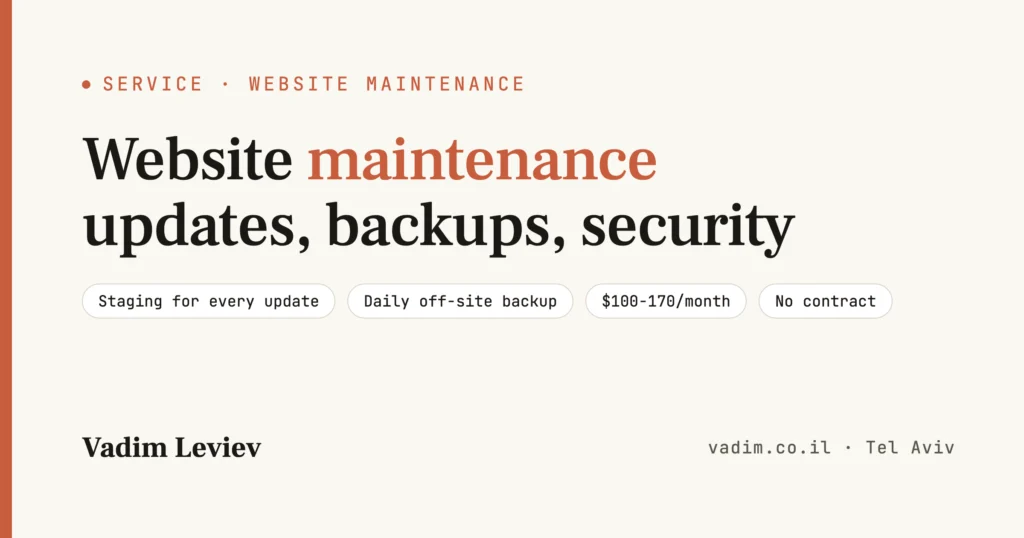
Website maintenance is the difference between a site that runs quietly for years and a site that goes down on the worst possible day. Updates tested before they go live, a daily backup off the server, security scans and monitoring that alerts me before your customers call: that's what I do for business WordPress sites and PHP systems, on a monthly plan with no contract.
What website maintenance is, and what it isn't
Ongoing website maintenance is regular work in five areas: updates to WordPress, the plugins, the theme and PHP; backups that are tested by restoring them; security, from scans to hardening; monitoring of uptime, speed and forms; and clean-up - unused plugins, a bloated database and files nobody remembers the reason for.
What it isn't: maintenance isn't hosting (the server), not SEO, not content writing and not a redesign. The hosting company maintains its server, not your site. It won't update a plugin, won't check that the contact form still sends, and won't call when the site shows a white screen. Most sites fall into that gap.
One more important distinction: a security plugin isn't maintenance. Wordfence blocks automated attacks, but it doesn't update a vulnerable plugin, doesn't back up and doesn't measure speed. I wrote about the hardening itself on WordPress security; this page is about what happens after it, every month.
Maintenance for a site someone else built
Most of the sites I maintain weren't built by me, and that's perfectly fine. What I need: access to the hosting and the domain, and an admin user on the site.
On the onboarding day I map what's installed, what's customized and what's redundant, and document it on one page. Even if the previous developer disappeared, the site isn't left without someone who understands it. If the custom code needs fixes before it can be updated safely, you hear that up front, with a price.
Why an unmaintained site breaks, even when nobody touches it
A website isn't a PDF you can put aside. It's software running on other software, and every layer around it keeps moving. In 2025, 11,334 new vulnerabilities were found in WordPress plugins and themes, 42% more than in 2024, and 46% of them were disclosed before a patch existed. A heavily exploited vulnerability reaches mass exploitation within a median of five hours of disclosure (Patchstack, 2026 report).
At the same time, PHP versions reach end of life (8.1 and older no longer get security updates, and 8.2 support ends on December 31, 2026), plugins are abandoned by their developers, and the database grows with revisions and spam until the site slows down. This is what a site "nobody touched" for a year looks like:
- Months 1-3: a few plugins show update notices, the contact form still works, nobody checks.
- Months 4-8: one plugin already has a known vulnerability, the only backup is the hosting company's from two weeks ago, and the site loads a second slower than before.
- Months 9-12: an automatic WordPress update is incompatible with the old theme, or a bot found the hole. From here it's a WordPress repair that costs as much as half a year of maintenance.
Not sure what state your site is in today? Send me the address, and I'll tell you honestly whether you need maintenance, a fix, or nothing.
A free 30-minute call, no obligation · reply within 24 hours
Book a free callWhat my WordPress maintenance includes: the schedule by frequency
This is the schedule I work by. It isn't a marketing list but the tasks that actually run, with how often they run.
| Frequency | What is done | Why |
|---|---|---|
| Every day | A full backup (files and database) to external storage, 30 days back; uptime monitoring every 5 minutes; a scan for foreign code | A restore in minutes instead of days, and an alert before a customer calls |
| Every week | Checking the installed plugins against the vulnerability databases; urgent security updates (on staging, then live); testing the contact form | 46% of vulnerabilities are disclosed without a patch, so you need to know what is installed |
| Every month | Updating WordPress, plugins and theme on a staging copy, a compatibility check, then the live site; cleaning out revisions and spam; a speed check in PageSpeed; a one-page monthly report | A tested update does not take a site down, and the report shows what changed |
| Every quarter | A real restore test from a backup; a plugin review (what was abandoned, what is redundant); the PHP version; domain and SSL expiry; users and permissions | A backup that was never restored is a guess, not a backup |
| When needed | Fixing anything my update broke, free of charge; answers to questions; small changes according to the plan | I am responsible for anything my updates break - not for your hosting company's outages |
WooCommerce sites get an extra layer: a full purchase test after every update, keeping the payment and shipping plugins compatible, and monitoring of stuck orders. PHP systems that aren't WordPress get the same schedule, adapted to their code, as part of PHP development.
Updating right: why every update is deployed to staging first
Most failures on WordPress sites are caused not by hackers but by updates: a plugin that was updated and is no longer compatible with the theme, a new WordPress version that changes something in the editor, a payment plugin that needs a newer PHP. That's why the "automatic update" in the dashboard is a gamble, not maintenance.
My sequence never changes: a backup, a staging copy of the site on the same server, the update there, a check of the important pages and forms (and in a store, a full purchase), and only then the same update on the live site, in a quiet window. If something still comes up, there's a backup from minutes before and a way back that takes minutes.
If the update needs bigger work, such as moving to PHP 8 or replacing an abandoned theme, that's a website upgrade rather than maintenance, and I say so up front, with a price.
How I work: 6 steps from the free call to the first report
You send the address. I check the WordPress and PHP versions, plugins with known vulnerabilities, speed, existing backups and signs of a hack, and tell you on the call what state the site is in and which plan fits - or that you don't need a plan at all. Prefer to write? Use the contact form.
One page: what's dangerous, what's redundant, what needs a one-off fix before we start, and what the monthly price is. No surprises in the second month.
A first full backup, removing unused plugins, a catch-up update on staging, basic hardening (two-factor authentication, permissions, SSL), and setting up the monitoring and the daily backup. A badly neglected site first gets an infrastructure upgrade, priced separately.
The maintenance schedule runs: daily, weekly, monthly, quarterly. You don't need to remember anything, and you never need to click "Update".
What was updated, what was blocked, how fast the site is, what's recommended. If you don't read reports, you get one line instead: all is well.
You can stop any month. If you leave, you get the backups, the access details and the list of settings, so any other developer can take over.
Website maintenance cost: three plans for 2026
Three plans (maintenance packages, if you like) for one site. The price depends on the size of the site, the number of plugins and whether there's a store. It's set after the first call and a review of the site, and then it's fixed.
| Plan | For whom | What is included | Price |
|---|---|---|---|
| Basic | A brochure site or a blog | The full maintenance schedule: a daily external backup, monitoring, scans, monthly updates on staging, a monthly report, a reply within one business day | $100-170/month |
| Business | A lead-generating site, a site with integrations | Everything in Basic, weekly security updates, form and integration checks, two hours a month for small changes, a reply within four business hours | $220-420/month |
| Extended | A WooCommerce store, a portal, a system | Everything in Business, a full purchase test after every update, 4-10 development hours a month, order monitoring, a quarterly security review, a reply within two hours on business days | $420-1,100/month |
| One-off catch-up update | A site not updated for a year or more | A backup, a step-by-step update on staging, plugin clean-up, testing. Required before joining a plan | $170-420 |
| Hack recovery | Non-subscribers | Clean-up, closing the hole, hardening, removing the Google warning. Included in the Business and Extended plans | $420-970 |
| Hosting (if needed) | Any plan | A managed server, SSL, caching. Separate from maintenance | $10-40/month |
Business days are Sunday to Thursday. For comparison: a repair after a hack costs $420-970, and one day of downtime for a business that sells online costs more than that. The math is simple: the price of the plan against what happens when the site goes down in your busiest week.
Why a developer and not a "maintenance company"
At big maintenance companies your site is a row in a table: a script updates everything once a month, and if something breaks, a ticket gets opened. Working with me, the person who updates the site is the one who has built and fixed hundreds of WordPress sites and PHP systems, reads the plugin's code when it behaves strangely, and answers personally.
The difference shows exactly on the day an update breaks something: instead of "we'll check and get back to you", it's a one-hour fix.
Four things aren't up for discussion in maintenance: a backup tested with a real restore once a quarter; no update goes live without staging; access, not ownership (the domain, the hosting and the admin user stay yours); and responsibility - anything my update breaks is fixed free of charge, even on the basic plan.
Who maintains your site: a developer with 25+ years of systems that must not go down
I'm Vadim Leviev, a developer with 25+ years in production. At William Hill Online I was Tech Lead on a system serving millions of users, where every minute of downtime is counted in money; later I developed at Mars Media Group and BuyMe. In places like that, maintenance isn't "when there is time": there's a schedule, there's a tested backup, and there's someone responsible.
I brought that schedule to small and medium businesses, for whom a site that went down is a phone that doesn't ring. Independent since 2006 and full time since 2019, I work directly with clients: building, upgrading and maintaining WordPress and WooCommerce sites, PHP and Laravel systems and AI systems, and developing verifystring.com, a security tool for AI systems. The full background is on LinkedIn, and there's more about me here.
Common website maintenance mistakes, and how I avoid them
- Automatic updates for everything, without a check
The surest way to a white screen on a Monday morning. Every update goes through staging and a check before the live site.
- A backup on the same server
When the server goes down or gets hacked, the backup goes down with it. The daily backup sits on external storage, 30 days back, and is tested with a restore.
- 40 plugins, 12 of them unused
Every plugin is a door. On onboarding day they're cleaned up, and after that every new plugin is approved before it goes in.
- One admin password for everyone
A personal user for each person, permissions by role, two-factor authentication, and removing anyone who has left the company.
- "We have a security plugin, we're covered"
A plugin blocks; it doesn't update and it doesn't back up. Maintenance is the layer above it, not a replacement for it.
- Ignoring PHP and the hosting
A site on PHP 7.4 on a cheap server is slow and vulnerable even when every plugin is up to date. The PHP version is checked every quarter, and poor hosting gets a written recommendation.
When you don't need a maintenance plan: an honest comparison
This is part of the service too: not every site deserves a monthly charge.
| Situation | Monthly plan | Not enough on its own |
|---|---|---|
| A landing page in clean code, without a CMS | Not needed: there is nothing to update every month | Forgetting about it: a quarterly check and a backup of the files are still due |
| A site on Wix or another closed platform | Not needed: the platform maintains itself | Leaving the content only on the platform: keep a copy and test the forms |
| A WordPress brochure site that brings in leads | Basic plan | The hosting company's backup |
| A store, or a site with payments and integrations | Business or Extended plan | Updating when there is time |
| A site not updated for two years, on PHP 7 | Yes, after an infrastructure upgrade | A plan alone, on a site that is already broken underneath |
| A site that will be closed in two months | Not needed: a waste of money | Letting it expire: take a last backup and leave a static landing page |
And if your site doesn't exist yet, it starts with website development, and my builds include 30 days of support before we talk about a plan at all.
Vadim is a lovely person with one-of-a-kind service: attentive to every question, explains patiently and quickly understands what the client wants. Highly recommended.
Website maintenance: frequently asked questions
How much does WordPress maintenance cost?
A basic plan for a brochure site costs $100-170/month, a business plan $220-420/month, and an extended plan for stores and systems $420-1,100/month. A site that has not been updated for a year or more first gets a one-off catch-up update for $170-420. The price is set after a free 30-minute call and a review of the site, and then it is fixed.
What is the difference between website maintenance and hosting?
Hosting is the server the site sits on, and the hosting company maintains only the server. Website maintenance is everything that happens inside the site: WordPress and plugin updates, an external backup, scans, monitoring and form checks. A hosting company's backup on its own is not a backup plan.
What happens if an update breaks the site?
In my process that happens on staging, not on the live site: every update is tested on a copy first. If something still comes up after it goes live, there is a backup from minutes before and an immediate way back, and the fix is on me, on every plan.
How often should a WordPress site be updated?
Urgent security updates within days of disclosure, which is why there is a weekly check against the vulnerability databases. The other updates once a month, grouped and tested. In 2025 an average of 31 new vulnerabilities a day were disclosed in WordPress plugins and themes, so waiting for a yearly update is not an option.
Is there a minimum contract?
No. The plan is monthly and you can stop any month. If you leave, you get the backups, the list of access details and settings, and a short handover document, so any other developer can continue without rebuilding the knowledge.
Does maintenance include content and design changes?
The basic plan does not include changes, only the maintenance schedule. The business plan includes two hours a month for small changes, and the extended plan 4-10 development hours. A redesign or new pages are a separate project with a quote of its own.
Is your site maintained, or just hosted?
A free 30-minute call, no obligation · reply within 24 hours
Book a free call